Your job search.
A clear plan
for today.
Bring your applications, experience, and recruiter conversations together. JobAlong prepares tailored CVs and drafts, and keeps your next steps ready, so you can give each opportunity proper attention.
- Your CV, tailored to each role.
- Pick up every conversation with context.
- Know what to work on next.
Free during beta · No card required
Today, made clearer.
Three next steps. Already prepared.
Your tailored CV · summary excerpt
Experience leading a cross-functional team through a B2B platform launch, bringing product, design, and engineering together.
Based on Maya’s approved experience
Review your CV, then apply on the employer’s site
Your prepared reply
Hi Nadia, thanks for sharing more about the role. I’d love to understand the team’s scope: which part of the platform would this role own, and how do product, design and engineering work together?
Connected to Maya’s Fjord application
Review, then reply in your inbox
Your prepared follow-up
Hi Alex, I wanted to follow up on our conversation about the product role. I’m still interested in the opportunity and would be happy to share anything else that would help with next steps.
A follow-up for an existing conversation
Review, then send in your own account
A CV shaped around this role, ready for your review.
Interactive example · Fictional people, companies and drafts
Meet Maya. She’s looking for her next product role.
Follow her search from a first application to the next conversation.
Fictional people and companies.
Your CV, tailored to each role.
JobAlong adapts your CV to the job description using your experience and approved facts. Review your tailored version before applying.
A focused summary, relevant skills, and experience bullets that show how your background fits the position.
Tailor your first CVJob requirements
Experience leading cross-functional product launches.
Maya’s approved experience
Led a team of 8 across product, design, and engineering to launch a B2B platform.
Tailored CV · excerpt
Profile
Experience leading a cross-functional team through a B2B platform launch.
Relevant experience
- Led a cross-functional team of 8 across product, design, and engineering to launch a B2B platform.
Maya’s prepared reply
“Hi Nadia, I’d love to talk. The launch brought together an 8-person team across product, design, and engineering. I’m interested to hear how your product team works and what you’re building next.”
Keep promising conversations moving.
Pick up where you left off, with the application, the conversation, and a prepared reply in reach.
When it’s time to follow up, that next step comes back into your daily queue. There’s less to keep in your head.
See Maya’s daily planSee where your search stands.
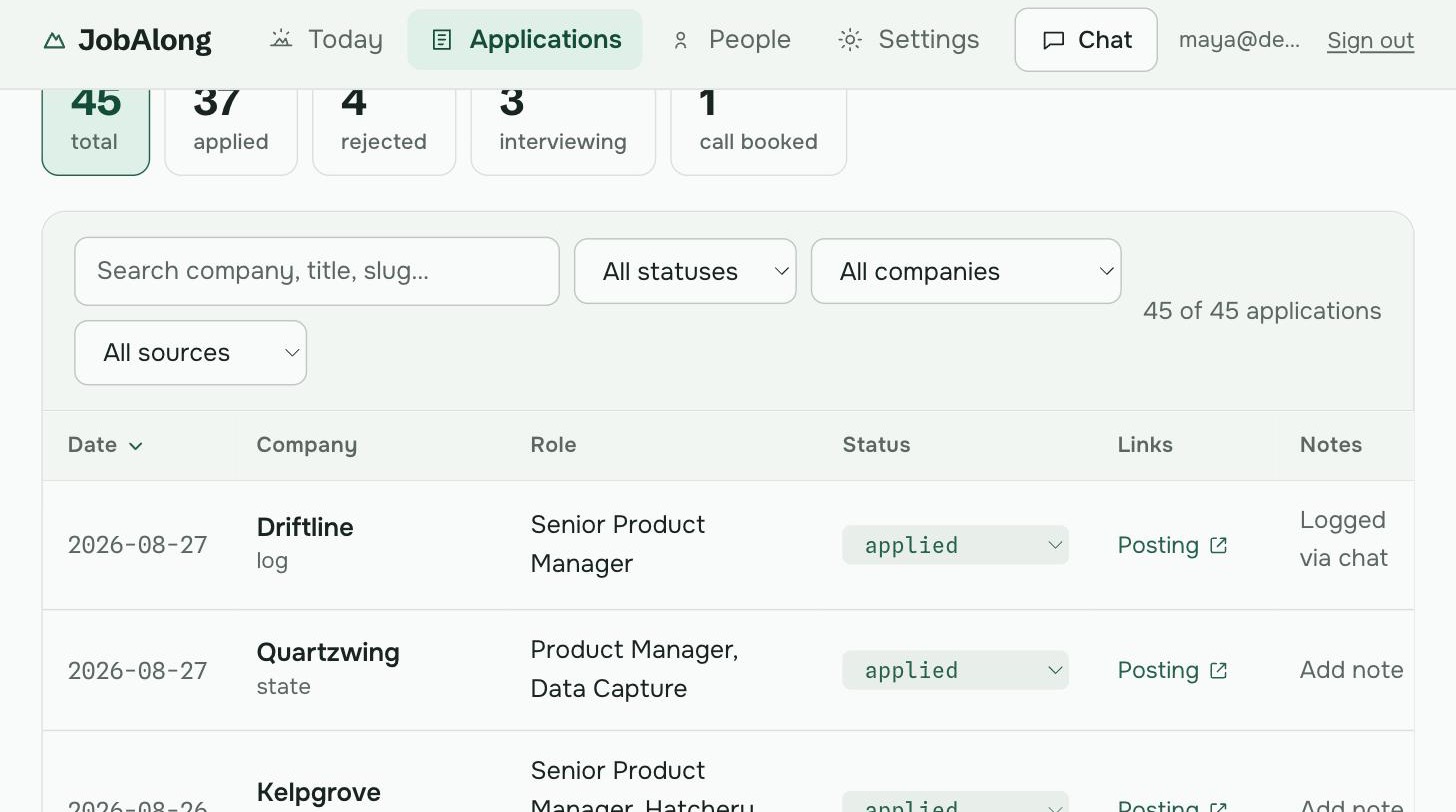
The roles you’re pursuing. The people you’re talking to. The next thing to do. A place to come back to, wherever the search takes you.
Applications
Your search, at a glanceSee the full product screen
Bring your experience.
Add your opportunities.
A little context gives JobAlong something useful to work with. Set up your search, then build on it as you go.
Get started free- 1
Make it your search
Upload your résumé, approve your experience, and set the roles and locations you’re looking for.
- 2
Add a role you’re interested in
Paste or import an opportunity. You can also add job-alert emails and supported boards at companies you track.
- 3
Open your plan for today
Review the prepared drafts, send in your own accounts, and log your progress. Come back for your next step.
Less admin.
Always your say.
Connect Gmail and Calendar to bring job alerts, replies, and matched interviews into your search. You can also import roles and track activity manually.
How your data is handledConnect when you’re ready
Inbox and Calendar access are optional, separate from signing in.
Read-only means read-only
Relevant email text is processed to organize your search. JobAlong can’t send mail or edit events.
You have the final word
Review and edit your drafts. You send the messages and submit the applications yourself.
A few things you might be wondering.
Who is JobAlong for?
JobAlong is built for experienced tech professionals running an active job search. It helps when you’re juggling applications, recruiter conversations, and follow-ups, and want to give each opportunity proper attention.
Where do the opportunities come from?
Start with roles you paste or import. JobAlong also checks supported employer hiring boards at companies you already track, and can import job-alert emails if you connect Gmail. It checks these against your preferences and application history. It does not search every job site, and some links need your review.
How does JobAlong tailor my CV?
JobAlong starts with your uploaded CV, the experience you explicitly approve, and the job description. It adapts your summary, selects relevant skills, and rewrites experience bullets for that role. Built-in checks flag unsupported figures and unfinished placeholders. You review and edit the tailored CV before using it.
Do I need to connect Google?
No. Google sign-in and access to Gmail or Calendar are separate steps. You can skip the optional connection and import jobs and track activity manually. Read-only access adds job-alert imports, reply tracking, and matched calendar interviews to your daily brief.
Does it apply or send messages for me?
JobAlong prepares the materials and keeps the next action visible. You review, edit, and send in your own email, LinkedIn, or the employer’s application form, then log what you did. JobAlong has no permission to send email or submit applications.
How much does it cost?
JobAlong is currently free during beta, with no card required. Access and built-in AI usage may be limited. You’ll receive notice and be asked to agree before any future charges. AI preparation needs an available built-in provider or your own supported model account, which you can connect in Settings; your provider’s limits still apply.
Prepare your
next application.
Add a role, tailor your CV, and keep your next step in view.
Get started freeFree during beta · No card required